
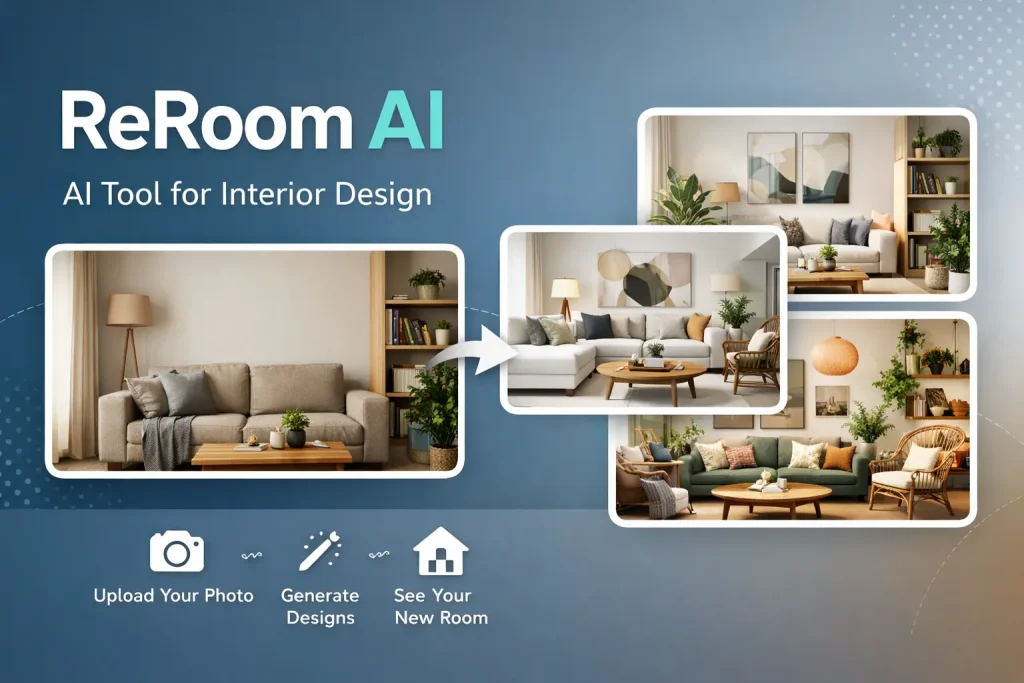
ReRoom AI is transforming how people approach interior design by turning simple room photos into visually compelling design concepts within seconds. Instead of relying on imagination or expensive consultations, users can now explore multiple design possibilities instantly. This AI-powered tool bridges the gap between inspiration and execution, making it easier for homeowners, designers, and real estate professionals to visualize changes before committing. With its intuitive interface and fast processing, ReRoom AI simplifies decision-making while delivering high-quality, photorealistic results. Whether you are planning a renovation or preparing a client presentation, it offers a practical starting point.
What is ReRoom AI?
ReRoom AI is an advanced interior design platform that uses artificial intelligence to generate redesigned versions of a space from a single uploaded image. Instead of building layouts from scratch, users can simply upload a photo of their room and choose from a variety of styles. The system then produces multiple realistic interpretations of the same space.
This approach removes much of the complexity traditionally associated with interior design. While professional tools require technical skills, ReRoom AI focuses on accessibility. It allows anyone to experiment with layouts, color palettes, and furniture arrangements without prior experience.
The tool has been designed to support both creative exploration and professional presentation. Designers can use it to speed up their workflow, while homeowners can preview ideas before making financial decisions. As a result, it functions as both an inspiration engine and a visualization platform.
Key Features of ReRoom AI
Photo-to-Design Transformation
One of the most notable features is its ability to convert a real room photo into multiple design concepts. This eliminates the need for manual modeling and speeds up the creative process significantly.
Wide Range of Design Styles
Users can choose from over 20 curated design styles, including modern, minimalist, rustic, and bohemian. This variety ensures that different tastes and preferences are accommodated without overwhelming the user.
Photorealistic Rendering
The platform produces high-quality images that closely resemble real-life interiors. These visuals are detailed enough to be used in presentations or marketing materials.
Fast Processing Speed
Designs are generated within seconds, allowing users to compare multiple options quickly. This rapid output makes experimentation easier and more efficient.
User-Friendly Workflow
The interface is simple and intuitive. Even those with no design background can navigate the tool effortlessly, from uploading images to downloading final renders.
Presentation-Ready Outputs
The generated visuals are polished and professional, making them suitable for client pitches, real estate listings, or development proposals.
Who Should Use ReRoom AI?
ReRoom AI caters to a wide range of users, each benefiting from its speed and simplicity in different ways.
Homeowners and renters can use the tool to explore renovation ideas without committing to costly changes. It allows them to visualize different styles and make confident decisions about furniture and layouts.
Interior designers and decorators benefit from faster concept creation. Instead of spending hours on initial drafts, they can generate multiple ideas instantly and refine them later.
Architects and property developers can use the platform to present interior concepts for new projects. It helps communicate design intent clearly to clients and stakeholders.
Real estate professionals also find value in the tool. By enhancing property images with modern designs, listings become more appealing and engaging. Additionally, marketers and agencies can use these visuals for campaigns and branding materials.
How to Use ReRoom AI Step-by-Step
Step 1: Create an Account
Begin by signing up on the platform. Once logged in, you can start a new project for your space.
Step 2: Upload Your Room Photo
Choose a clear and well-lit image of the room you want to redesign. The quality of the photo plays a crucial role in the final output.
Step 3: Select a Design Style
Browse through the available styles and pick one that aligns with your vision. You can experiment with different styles to see varied results.
Step 4: Generate Designs
Click on the generate option, and the tool will create multiple versions of your room. This process usually takes only a few seconds.
Step 5: Review and Compare
Carefully analyze the generated designs. Each version may highlight different layouts, colors, or furniture arrangements.
Step 6: Download or Share
Once satisfied, download the final images or share them with clients, friends, or team members for feedback.
This streamlined process ensures that users can move from idea to visualization quickly and efficiently.
Practical Use Cases of ReRoom AI
ReRoom AI proves useful across various real-world scenarios. Homeowners often use it to preview renovations, helping them avoid costly mistakes. By visualizing different styles, they can choose what works best before making purchases.
Interior designers rely on the tool for quick concept generation. It allows them to present multiple ideas to clients in a short time, improving communication and satisfaction.
Developers and architects use the platform to showcase interior possibilities in new projects. This makes it easier to attract investors and buyers by providing clear visual representations.
In the real estate sector, agents enhance property listings with redesigned interiors. This creates a stronger first impression and increases buyer interest.
Marketing teams also leverage these visuals for promotional campaigns. High-quality images help communicate ideas more effectively and capture attention.
Pros and Cons of ReRoom AI
Advantages
ReRoom AI offers speed and convenience, making it ideal for quick design exploration. Its photorealistic outputs add credibility and professionalism to presentations. The platform is easy to use, which makes it accessible to beginners as well as professionals. Additionally, the variety of design styles allows users to experiment freely.
Limitations
Despite its strengths, the tool has some constraints. The quality of the output depends heavily on the uploaded image. Poor lighting or angles can affect the results. It also lacks detailed customization features found in advanced design software. Users may find it challenging to make precise adjustments.
Another limitation is the reliance on preset styles. While these are useful, they may not fully capture highly specific or personalized design preferences. Internet dependency is another factor, as the tool requires an active connection for rendering.
Final Thoughts
ReRoom AI stands out as a practical solution for anyone looking to visualize interior design ideas quickly and effectively. It simplifies a traditionally complex process, making design accessible to a broader audience. While it may not replace professional design software, it serves as an excellent starting point for creativity and planning. Its ability to generate realistic visuals in seconds makes it especially valuable for presentations and quick decision-making. As AI continues to evolve, tools like ReRoom AI are likely to become even more refined, offering greater control and personalization while maintaining their ease of use.